
The workflow
Keep the shoot
in motion.
From a first look through a full collection to the small decisions that make your final selects. Built for the way photographers work.
Crafted for the MacInside Lightbox Pro
Actual Mac application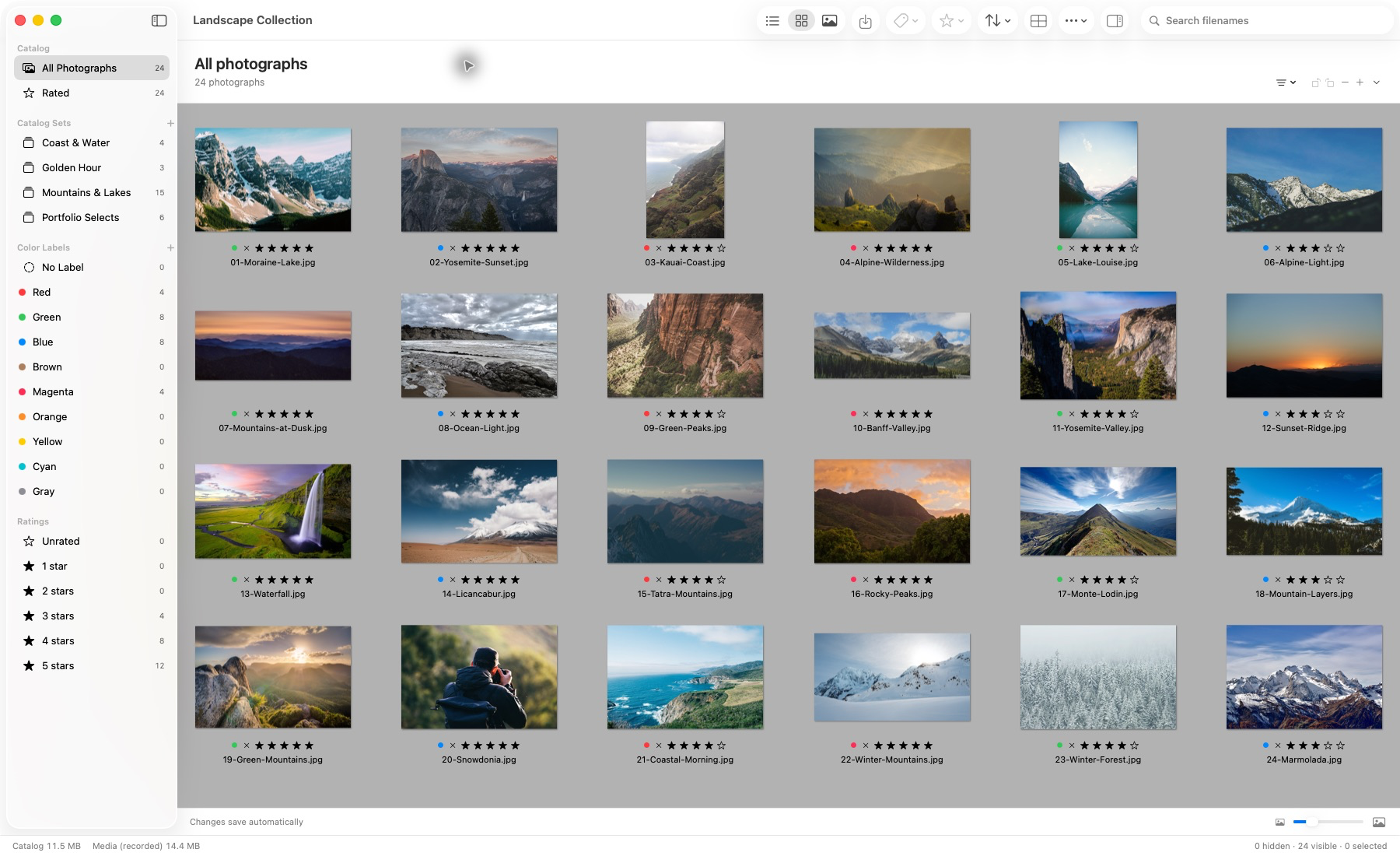
Actual application capture. Photographs remain in their source locations.
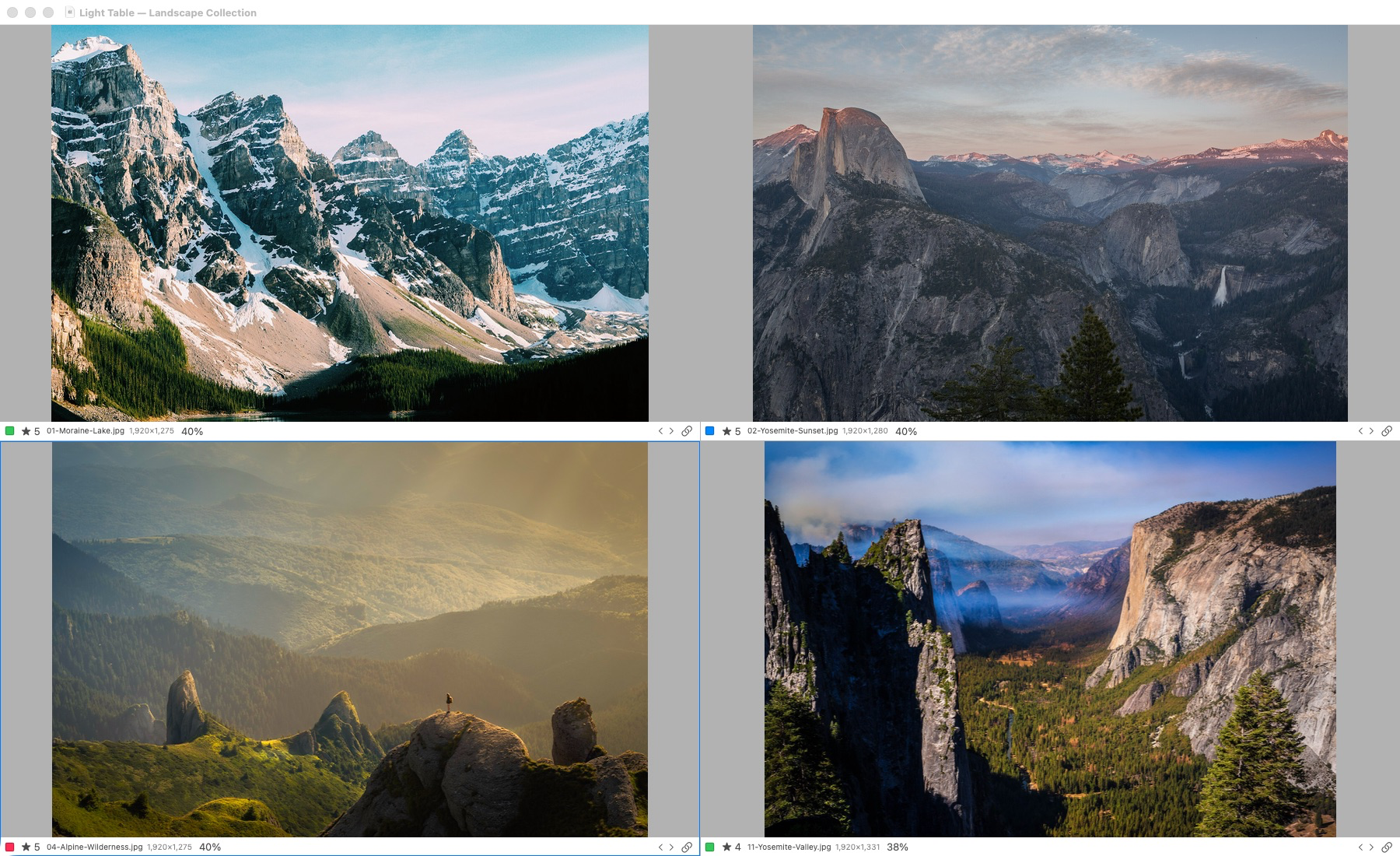
Actual application capture. Light Table supports one to six selected photographs. Original-detail inspection requires access to the originals; offline previews have reduced detail.
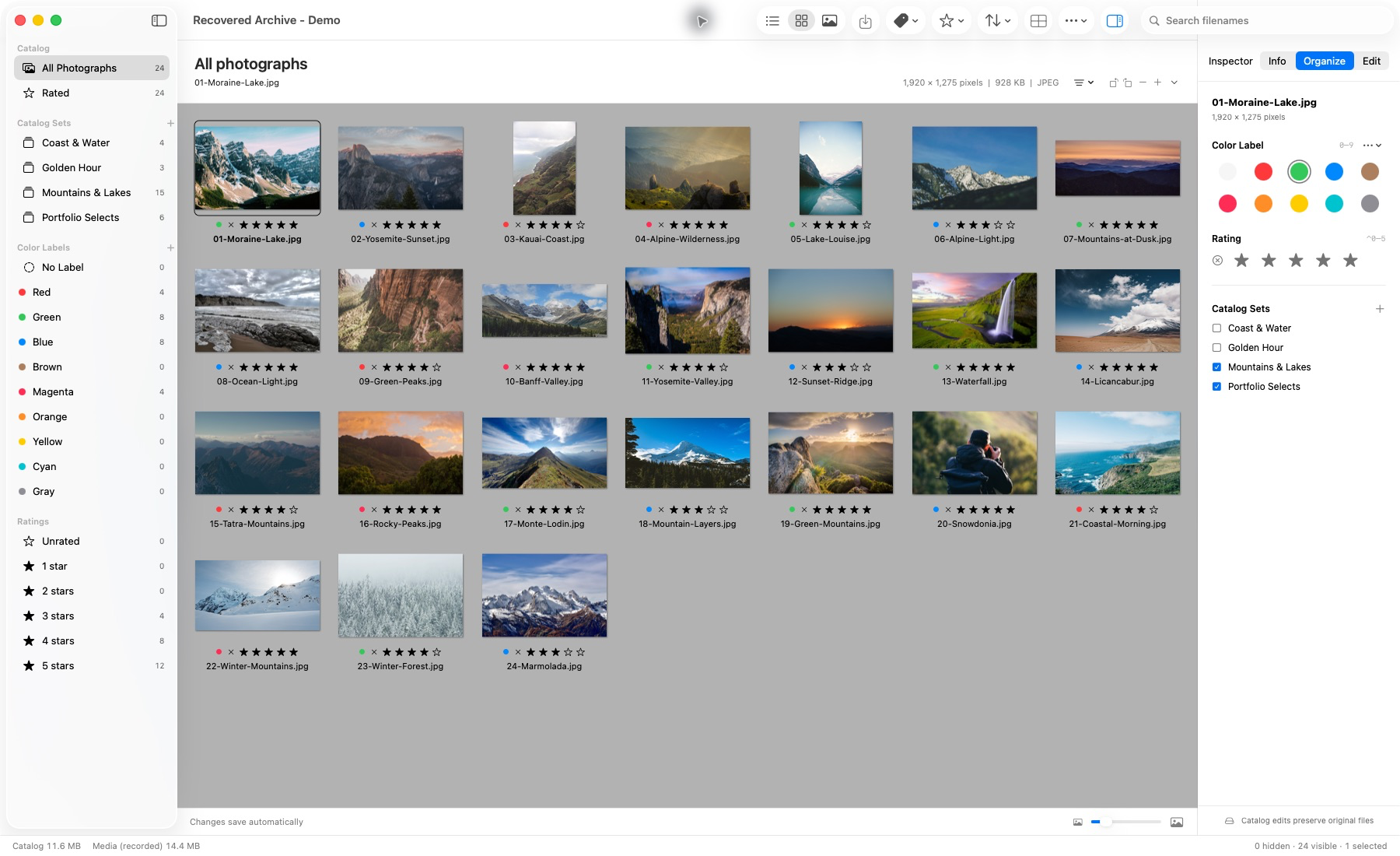
Generated .ivc catalog, imported and reopened in the Mac app. This demonstration does not establish compatibility with every historical catalog.
Browse and cull
Less interruption.
More instinct.
Move between List, Thumbnail and Media views. Rate, label and filter the current sequence from the keyboard, keeping your attention on the photographs.
- ⌘ 1 / 2 / 3
- List / Thumbnail / Media
- ⌃ 0–5
- Clear or assign a rating
- 0–9
- Clear or assign a default color label
Compare
A few frames.
A better decision.
Light Table supports one to six selected photographs. Synchronize zoom and pan, or inspect a view independently.
Keep the current sequence close, then return to your catalog when you have made the call.
Actual application capture. Light Table supports one to six selected photographs. Original-detail inspection requires access to the originals; offline previews have reduced detail.
Explore linked zoom and pan
Illustrative website controls using the supplied artwork, separate from the actual app capture above.
Zoom, then drag or use arrow keys in a frame. The link shares zoom and pan. This illustration uses the supplied artwork; it is not an app screenshot or a test of original-image sharpness.
Organize
A place for
every decision.
Preparation. Ceremony. Portraits. Reception. Organize a job in the way you remember it.
Nested sets can overlap. Ratings and custom label names and colors bring different routes back into a collection. Your catalog references photographs in place, so organization does not require rearranging the original files.
Imported keywords, annotations and custom fields remain available for inspection within the supported migration profile.
Preview edits
See the potential.
Crop and rotate. Try Black & White or Sepia. Compare with the original, undo a decision or revert. Editable adjustments stay in the catalog.
Native checks cover JPEG/TIFF and one Canon CR2 preview path. They do not establish broad RAW camera support.
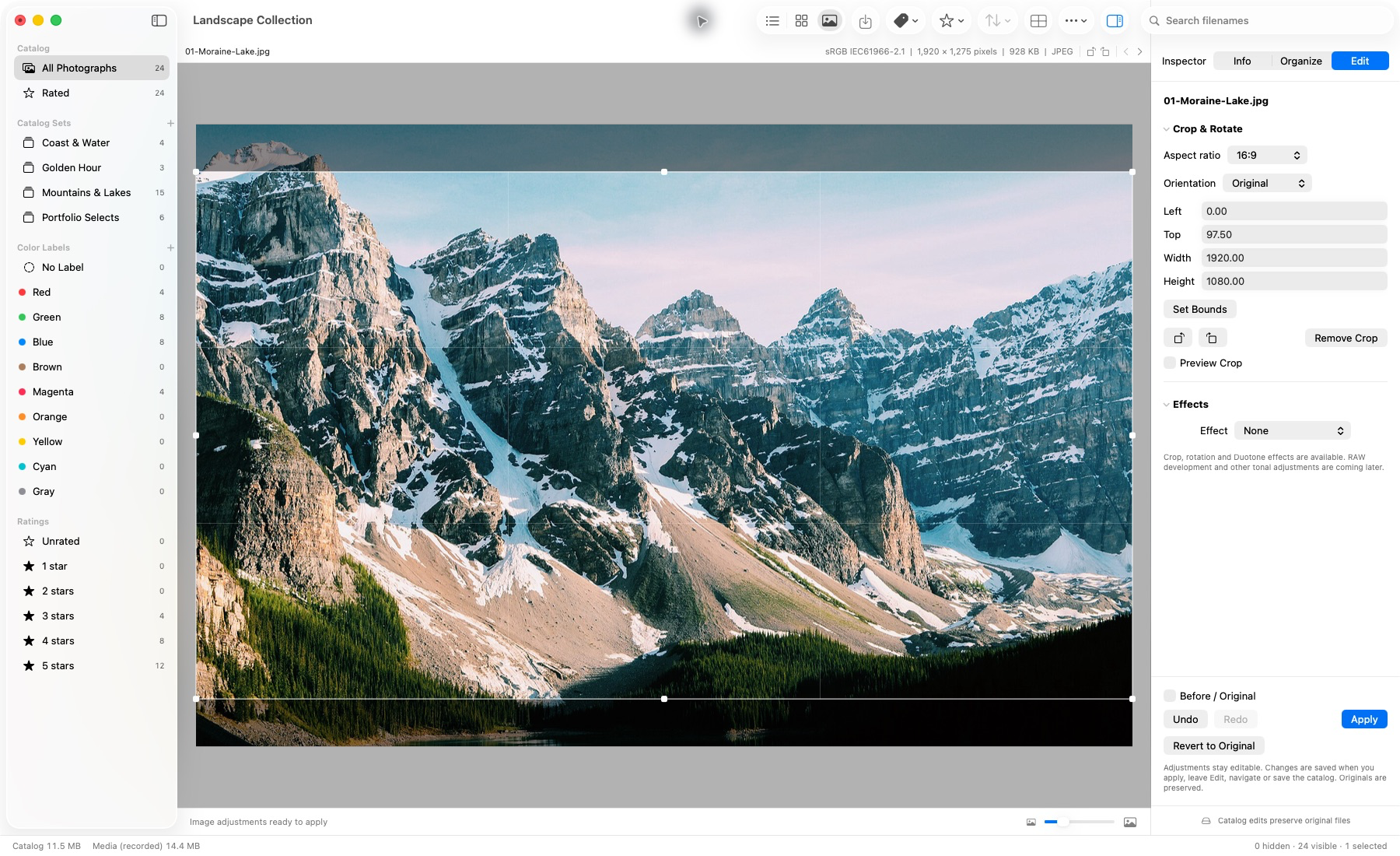
Actual application capture. Editable crop settings are saved in the catalog; the original photograph stays unchanged.
Preview edits, today.
RAW development, next.
The reviewed application demonstrates the preview tools above. Full RAW development, general tonal controls, batch settings and rendered proof export are separate future work.
Client approval
Their favorites.
Part of your workflow.
A private gallery, with a way back to your catalog.
The launch vision gives clients a link to their photographs, with separate choices for prints and albums. They could share it with family and the people helping them decide.
Designed to bring those selections back into Lightbox Pro, so you can see their print choices and album favorites alongside the photographs you’re preparing.
See the client experiencePlanned for launchPrivate galleries and returning selections describe the intended launch service and are not currently available.
Keep your work yours
A working selection.
A lasting archive.
Transfer’s Copy mode prepares a separate working selection. Independent catalog windows keep different jobs in view. Your originals remain where you chose to store them.
Open supported legacy .ivc catalogs through a reviewed import, with a new native output catalog and the original retained.