Historical case record
A 24-photograph catalog.
The documented import preserved a catalog containing 24 photographs and 475 annotations.
Checked
Supported catalog conversion and retained annotation information.
 Lightbox ProFollow the launch
iView MediaPro catalog import

.ivcYour original catalog.
Yes. Open supported original .ivc catalogs in Lightbox Pro. Bring years of photographs, ratings and organization into a modern Mac workflow.
Your original catalog stays unchanged. Your next chapter starts in a separate .lightbox catalog.
A reviewed import brings a supported library into Lightbox Pro, while retaining the catalog you started with.
Original catalog.ivc

Separate native catalog.lightbox
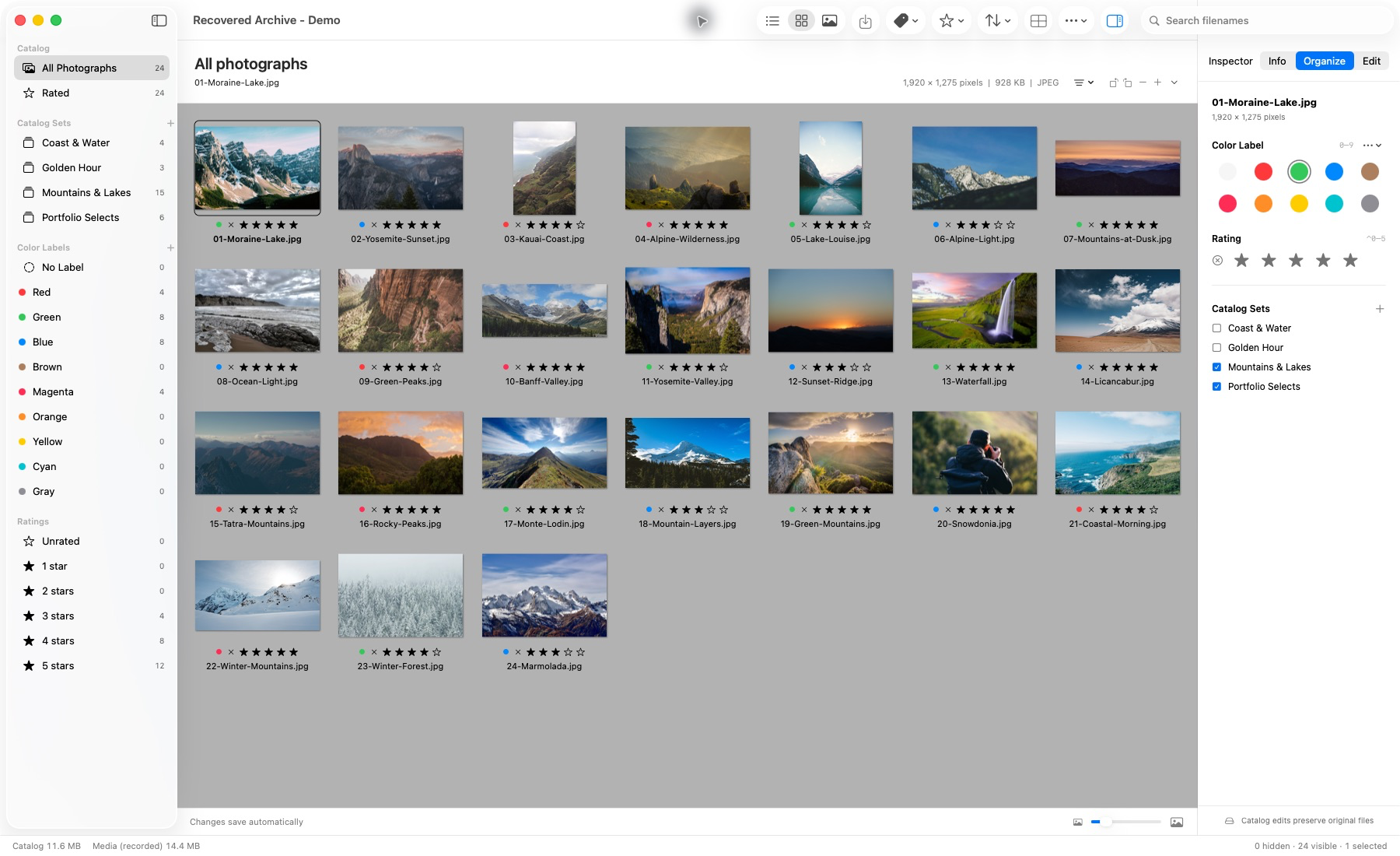
Generated .ivc catalog, imported and reopened in the Mac app. This demonstration does not establish compatibility with every historical catalog.
A catalog holds more than a list of files. It holds the order, the selects and the connections you made. Supported import preserves values whose meaning has been verified.
Original filenames, source IDs, source order and supported paths. Explicit parent-folder mapping keeps relative subfolders when photographs have moved.
Reconnect to your sources.Numeric ratings and labels, supported set hierarchy and membership. Keep the relationships that make a library your own.
Legacy custom label names and colors are not recovered as native definitions.Supported keywords, descriptions, named custom fields and technical values are retained. Imported richer metadata remains viewable read-only.
Preserve what is supported without inventing missing information.Exact legacy source and record bytes are archived in the new private catalog, including embedded preview bytes.
Native stored previews are built after an authorized source successfully loads. They do not recover missing originals.Two historical restoration cases are recorded in the application project's migration and acceptance documentation. They show what was checked within the supported import profile.
Historical case record
The documented import preserved a catalog containing 24 photographs and 475 annotations.
Supported catalog conversion and retained annotation information.
Historical case record
Explicit folder mapping restored source access. All-thumbnail viewing, TIFF/PSD Media, a six-image Light Table, 133 persistent previews and quit/reopen were recorded.
Source references, viewing, stored previews and reopening.
Source: the application's MIGRATION.md and IVC_IMPORT_PROCESS.md. These are recorded acceptance cases, not speed benchmarks or guarantees for other catalogs. The application screenshot above shows a separate generated 24-photo demonstration catalog; it is not a capture of either historical case.
Import happens locally in the Mac application. There is no catalog upload or conversion service on this website.
Use Import Legacy Catalog in Lightbox Pro. Review the photograph count, issues, supported organization and proposed references.
Choose the corresponding current parent folder when needed, retaining the relative subfolder structure. A path that exists does not by itself prove a file is the correct historical photograph.
Choose a new, unused .lightbox filename. Unsupported required structures block conversion rather than silently dropping photographs or information.
Inspect the migration report, check photographs in Thumbnail, Media and Light Table, then close and reopen. Retain your original catalog and photographs.
Compatibility depends on the catalog's format and contents. Direct .ivc import and full catalog XML exports are separate supported routes, each with limits.
No. Current direct import covers the verified 025i binary profile with supported JPEG/TIFF/PSD facts and specific metadata and organization structures. Unknown encodings, unsupported formats or required structures, malformed data and ambiguous references can block conversion. XML is a separate supported route, with its own limits.
Catalog conversion cannot recreate a missing original photograph. Explicit folder mapping can reconnect moved photographs. A separate reviewed reconnection workflow searches an authorized folder and requires approval; ambiguous or unverified matches remain unresolved.
Legacy conversion reads the source and creates a separate native catalog. It does not rewrite the .ivc file or move its photographs. The application's explicit Batch Rename and Transfer tools are separate file operations.
Supported numeric ratings and labels, set hierarchy and membership are retained. Legacy custom label names and colors are not recovered as native definitions. Supported richer annotations, including keywords, descriptions and named custom fields, remain viewable read-only.
No. Embedded legacy preview data is archived as source evidence. Lightbox Pro builds compact native stored previews after a source is available and successfully loads. Stored previews are reduced-detail browsing images, not substitutes for original-resolution inspection.
No. Import and conversion happen locally in the Mac application. This website does not upload or convert your files.
Your library has another chapter.
Browse, compare and choose in a native Mac workspace.Lightbox Pro is independent software by Zippi Technologies. It is not affiliated with, endorsed by, or an official continuation of iView MediaPro.