
iView MediaPro vs Lightbox Pro
A familiar way of organizing photographs can outlive the software that introduced it. Compare the documented workflow with what a supported migration can actually carry forward.
A comparison with two different time frames
iView MediaPro belongs to the history of photographic cataloging. Lightbox Pro is a new, independently developed Mac application with its own catalog format and importer. A useful comparison explains which working habits can carry forward, which values can be preserved, and which capabilities still need separate verification.
This guide compares historical documentation with reviewed Lightbox Pro development build 0.1.2 (60). It does not announce a public release or promise complete reproduction of an old application. For a practical account of choosing a replacement, read the iView MediaPro alternative guide; for the import procedure, use the .ivc opening guide.
What the original catalog workflow documented
The iView MediaPro 3.02 manual, preserved by its German distributor, describes catalogs containing thumbnails, metadata and original-file paths. It documents ratings, labels, catalog sets, XML export and explicit annotation synchronization. Its Light Table chapter describes linked or independent zoom and pan. This is evidence for that documented version, not every later release.
Scroll across to compare all columns.
| Workflow | Historical iView documentation | Reviewed Lightbox Pro evidence |
|---|---|---|
| Catalog structure | Thumbnails, metadata and references to original files. | A separate native .lightbox catalog referencing source photographs. |
| Organization | Ratings, labels and catalog sets. | Ratings, labels, filters and nested sets; supported imported membership is retained. |
| Comparison | Light Table with linked or independent viewing. | One to six selected images, with linked or independent zoom and pan. |
| Annotations | Catalog annotations and explicit synchronization with supported originals. | Supported legacy text retained as read-only imported metadata. |
| Catalog transfer | XML export is documented. | Separate reviewed binary .ivc and XML import routes. |
Running the old app and importing its catalog are different
Capture One’s official support statement says development, sales and support have ended for iView MediaPro, Expression Media, Media Pro and Media Pro SE, and these products are not officially compatible with modern operating systems. That statement does not make all their catalog formats identical.
Apple also confirms that macOS Catalina and later do not run 32-bit applications. The Lightbox project’s reference notes identify iView MediaPro 3.1.1 as a 32-bit PowerPC/i386 application. Importing a supported catalog into a separately written application avoids needing to run that particular old app; it does not turn the old executable into a modern Mac application.
Lightbox Pro’s reviewed native acceptance used an M4 Mac. That evidence supports the tested environment, not every Mac, minimum configuration or future release. Intel source compilation alone does not establish supported Intel distribution. Consult confirmed release information before planning a production migration.
What can survive a supported conversion
Direct binary import in the reviewed build accepts a verified 025i profile with supported JPEG, TIFF and PSD records. The importer assesses the source, presents review information and writes a separate, unused native destination. Required unsupported structures or ambiguous records block conversion instead of quietly discarding entries.
Within that supported profile, the reviewed evidence includes source order and identifiers, file references, numeric ratings and labels, supported set hierarchy and membership, descriptions, repeated keywords, named custom fields and verified technical information. Some values become working native controls; others remain preserved import information. Those are materially different outcomes.
For example, an imported five-star rating can be used in the native rating workflow. A preserved keyword is read-only in this reviewed build and does not imply keyword editing or general keyword search. Original custom label names and colors are not reconstructed automatically; native defaults are reported. Browsing within imported sets uses catalog order rather than promising every original set-specific presentation.
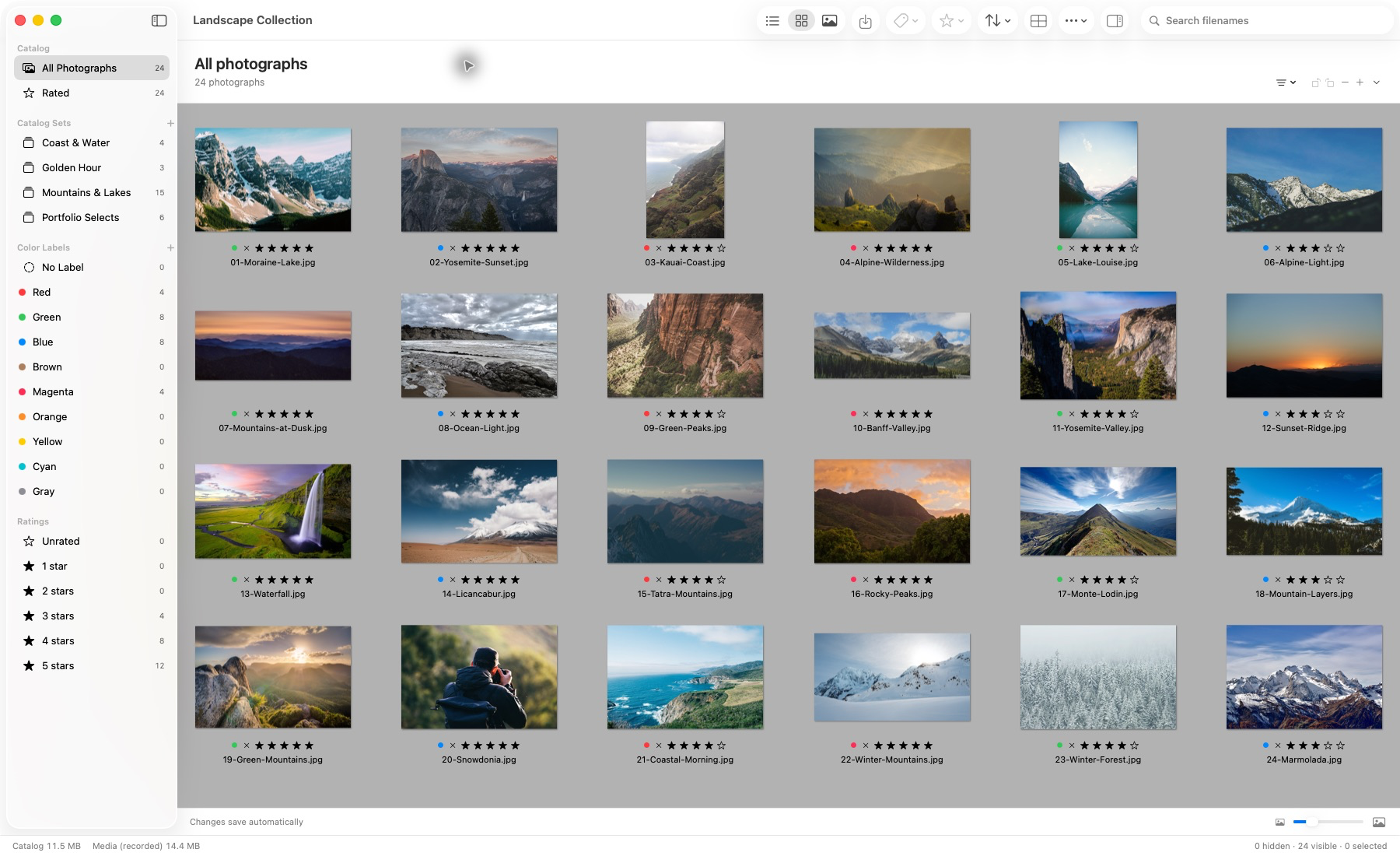
Actual application capture. Photographs remain in their source locations.
This supplied build-50 screenshot shows the demonstration library and native organization controls. It is not a capture of a private historical archive or evidence that every field from every iView catalog converts. The article’s current functionality review covers build 60.
What a successful import does not prove
The documented historical restoration cases contain 24 and 133 photographs. They include moved-parent mapping and checks of native viewing, organization and reopening. They are specific acceptance cases, not a tested maximum library size or proof for all binary versions, encodings, media types or damaged catalogs.
Embedded legacy preview bytes are archived rather than installed as Lightbox Pro’s runtime viewing cache. Lightbox creates its own persistent previews after an authorized original successfully loads. If the full-size photographs are missing, a catalog entry or archived preview does not recreate them. Keep originals and catalog backups together in the preservation plan, even when they are stored separately.
There is no verified universal migration from later Expression Media or Media Pro databases, and no claim here that changing an extension makes a catalog compatible. An XML export is a separate route requiring its own review. The filename .ivc identifies a candidate for inspection, not an unconditional compatibility promise.
A working library after migration
Once source references and imported decisions have been checked, the next question is whether the new catalog supports your photographic routine. Lightbox Pro provides Thumbnail, List and Media views, keyboard navigation, ratings, labels and nested catalog sets. A photograph can be organized into different sets without creating another original image file.
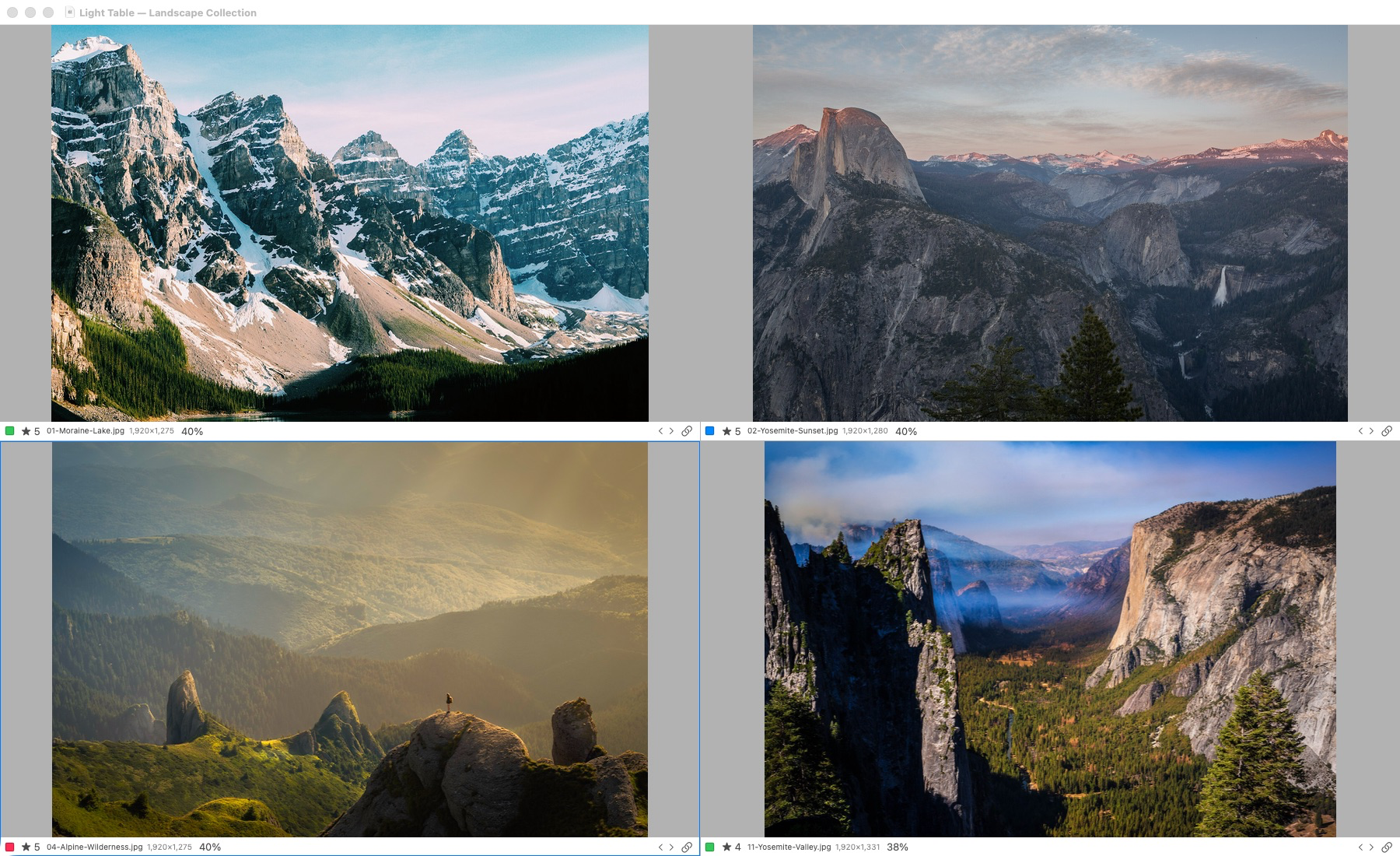
Actual application capture. Light Table supports one to six selected photographs. Original-detail inspection requires access to the originals; offline previews have reduced detail.
The supplied Light Table capture also dates from build 50. Use this workspace for a second pass through candidates, checking expression and composition; inspect critical detail with an appropriate original rendering. Linked zoom and pan help align similar frames, while independent viewing helps when compositions differ. Read how to compare photos on Mac for a practical method.
The current Loupe provides pointer-following 100%, 200% and 400% inspection across photographic views. L toggles it when a photograph viewer has focus. Detail information distinguishes source pixels from system RAW images whose detail remains unverified, editing previews and reduced offline previews. A magnified preview is not proof of full sensor detail.
Current preview editing includes crop, rotation, Light brightness/contrast, Color Balance, Levels and Duotone. Levels supplies black, midtone/gamma and white controls with an original RGB preview histogram, not a live adjusted or sensor histogram. These editable decisions preserve original files and can be saved and reopened.
True RAW sensor development and protected full-source rendered export remain unfinished. The implemented full-raster source preparation is an internal prerequisite, not a finished GUI export workflow. A completed hosted gallery, synchronized client choices and album-design system are not established by the reviewed application either. Keep those requirements separate from verified catalog migration and preview editing.
Check preservation before replacing your workflow
- Preserve the evidence. Retain an untouched catalog, original photographs, available XML exports and a note of the old folder structure.
- Review a separate conversion. Confirm counts and warnings, and map equivalent parent folders when sources have moved.
- Check meaningful examples. Include the last catalog rows, unusual files, multiple-set membership and photographs with important annotations.
- Reopen and inspect. Check organization, original access and preview status after quitting normally. Keep the legacy backup after acceptance.
A careful migration carries forward useful decisions without hiding what remains different. Continue with preserving old photo catalogs and organizing photographs without moving originals. For an unsupported file, contact software support before sharing private archives. Lightbox Pro is not affiliated with or endorsed by the original iView, Microsoft or Phase One products.